

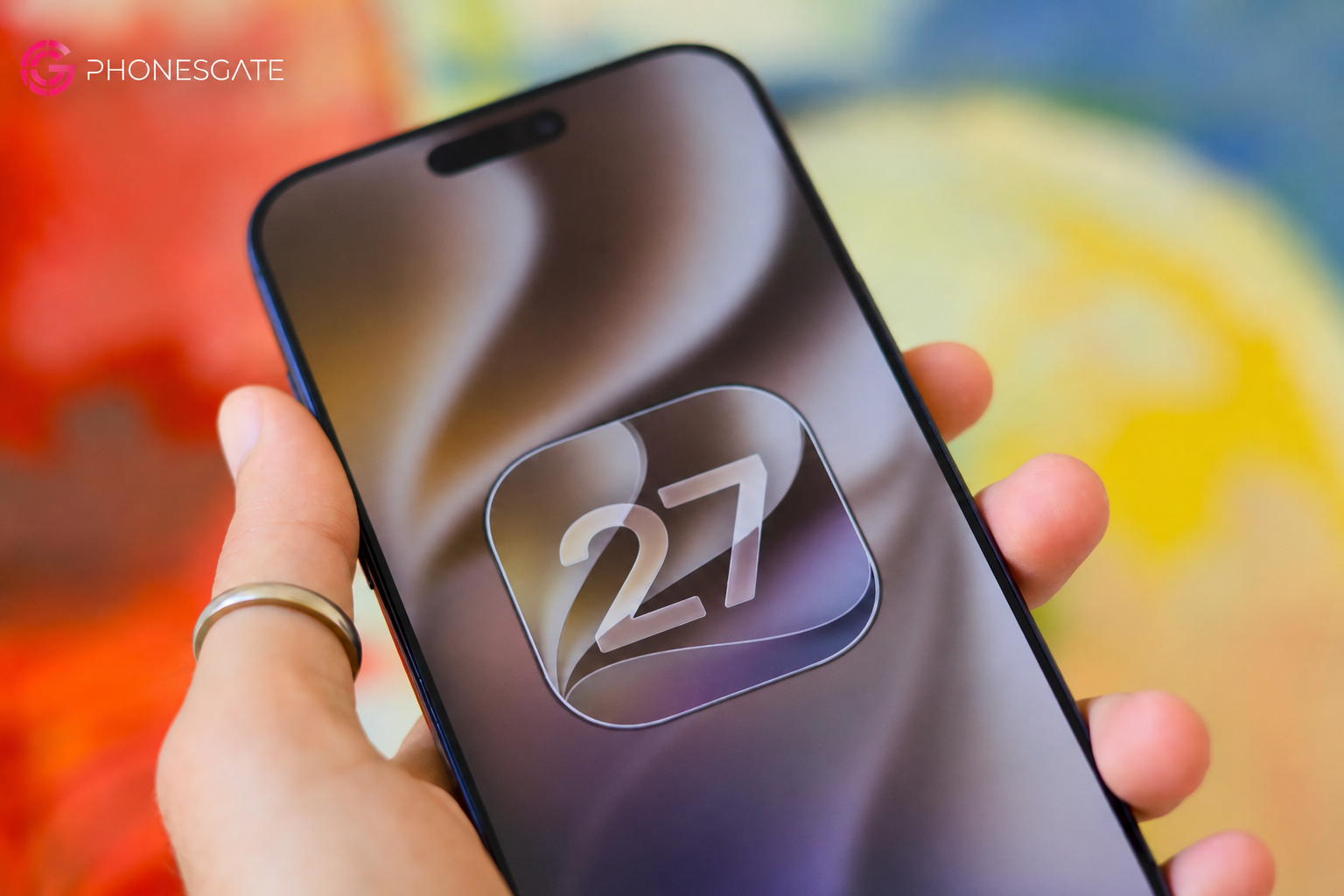
iOS 27 is shaping up as a refinement release rather than a complete reinvention of the iPhone. The current preview focuses on performance, a redesigned Siri experience, smarter photo editing, long-requested controls and visual adjustments that make the system easier to personalize.
That direction makes sense. iOS 26 introduced the larger visual shift, so iOS 27 appears to be concentrating on polish, speed and features users have requested for years. Some additions are technically ambitious, especially the new AI-assisted photo tools and the deeper Siri integration. Others are basic changes that arguably should have arrived much earlier, such as separate alarm volume control.
This PhonesGate hands-on analysis is based on preview material and should not be treated as a final specification sheet. Features, supported devices, rollout timing and third-party integrations may change before the stable release.
Key takeaway
PhonesGate examines the five biggest iOS 27 features, including the redesigned Siri, AI photo editing, Liquid Glass controls, AirPods EQ and major performance improvements.
iOS 27 at a glance
Feature Main benefit Who benefits most AI photo editing Extend and reframe images beyond the original crop Creators and photographers Long-awaited controls Separate alarm volume, better Wi-Fi handoff, AirPods EQ Everyday users Visual refinements More control over transparency, icons and lock screen Users who value customization New Siri Conversational AI with personal context and screen awareness Users inside the Apple ecosystem Performance improvements Faster apps, photo loading and transfers Especially owners of older iPhones
Why iOS 27 feels different
Not every software update needs a dramatic redesign. A mature operating system creates value by reducing friction, improving stability and fixing interactions that users repeat every day.
13 min read
Apple coverage from PhonesGATE. Published Jul 21, 2026.
The current iOS 27 preview appears unusually stable for an early build, which is encouraging even though most users should still wait for the public release. Early stability does not guarantee a flawless launch, but it suggests Apple is focusing on refinement rather than trying to rebuild multiple core systems at once.
5. New AI photo editing tools
The Photos app receives two major editing additions: Extend and Spatial Reframe.
Extend changes the image canvas
Extend uses generative AI to create new content outside the original image boundaries. The practical use is straightforward: a portrait image can be expanded into a landscape composition, or additional space can be generated around a subject to improve cropping.
The tool is most reliable when the edges contain patterns, skies, walls, landscapes or other visually consistent material. More complex scenes can still work, but generated objects may contain errors or unnatural detail.
For social media, presentation slides and video thumbnails, Extend could become one of the most useful built-in editing tools Apple has added in years.
Spatial Reframe changes the apparent viewpoint
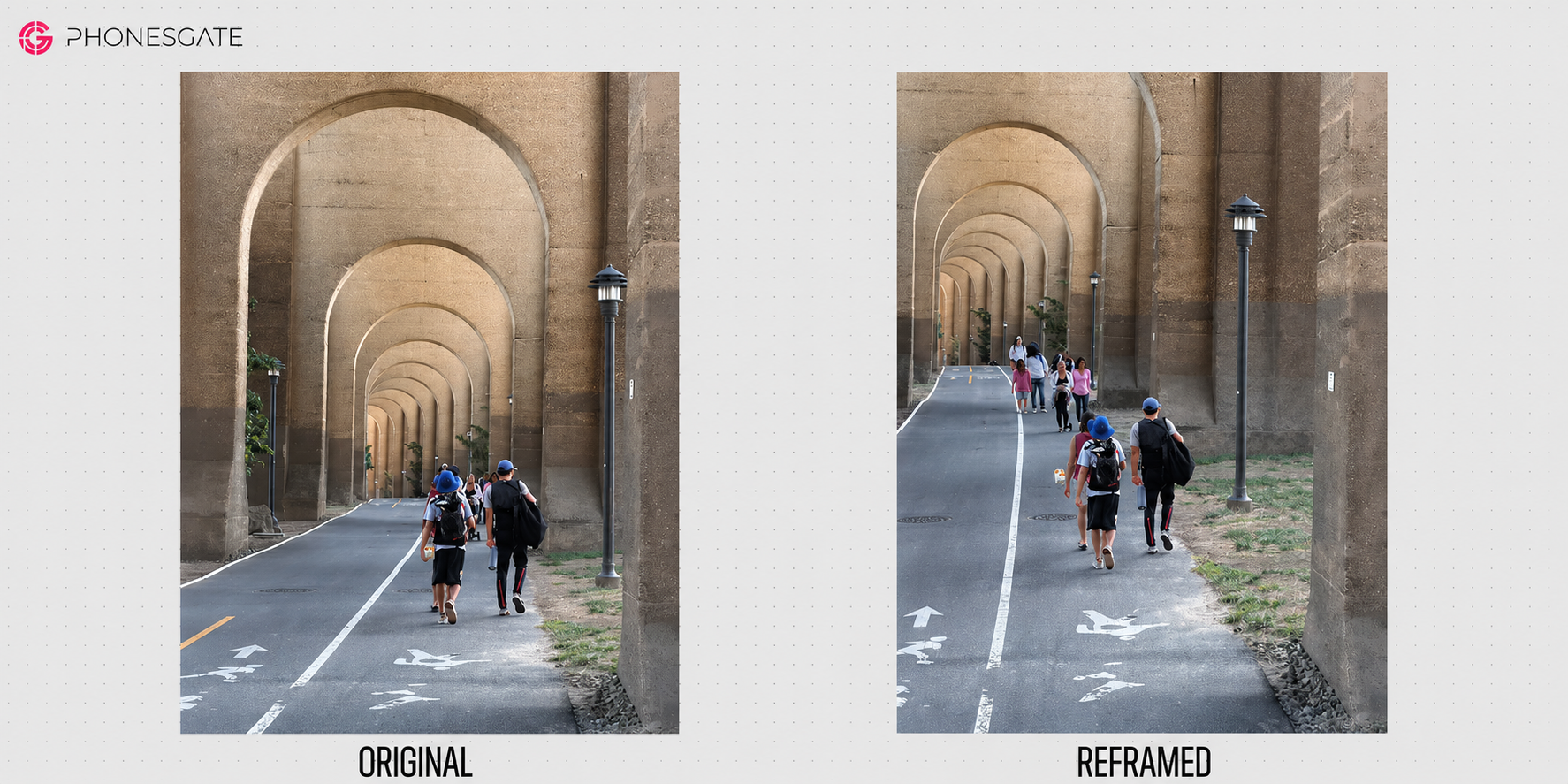
Spatial Reframe is more experimental. Instead of only expanding the canvas, it attempts to change the apparent camera position and perspective.
The feature may help with architectural shots, symmetrical scenes and photos where the framing was almost correct but not quite centered.
It is also the feature most likely to raise questions about authenticity. Once an image contains pixels generated from a viewpoint the camera never captured, it becomes an edited reconstruction rather than a conventional photograph.
Cloud processing is an important limitation
Both tools currently depend on an internet connection, indicating that the required models are too large or computationally intensive to run entirely on the phone.
This creates several limitations:
- the tools may not work during flights or in areas without connectivity;
- processing time may vary with network quality;
- users should understand how image data is handled;
- results may change as cloud models are updated.
PhonesGate take
Extend is likely to become the more practical feature. Spatial Reframe is impressive, but its value will depend on image quality, transparency and how clearly Apple distinguishes generated reconstruction from original photography.
4. The “finally” improvements
Several iOS 27 changes are not revolutionary. They are valuable because they fix long-standing limitations.
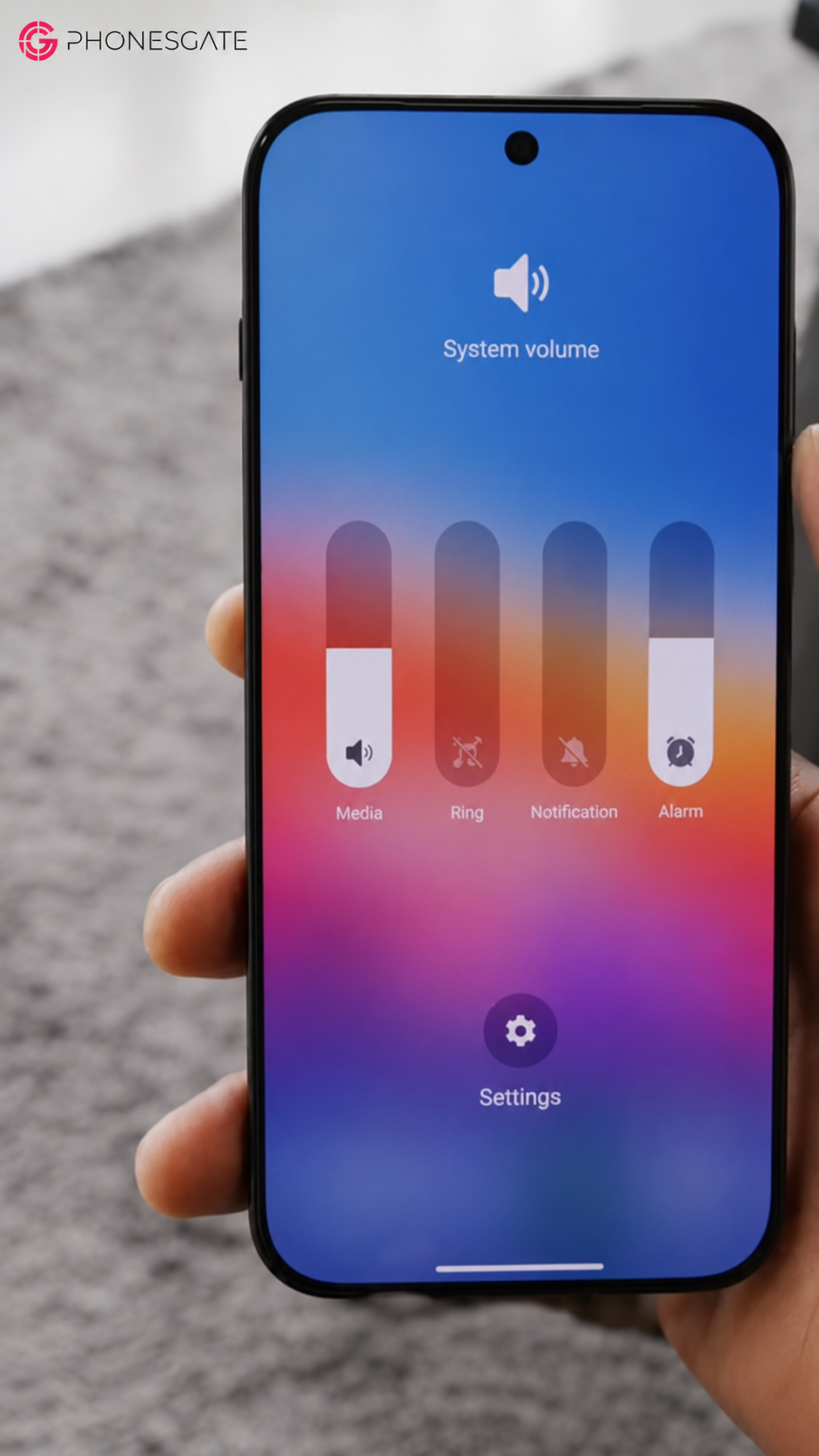
Alarm volume can be controlled separately
iOS 27 adds separate alarm volume control instead of tying it too closely to the broader system volume behavior.
This reduces the risk of an alarm being too quiet after media volume has been lowered, or too loud because another system sound was increased.
The implementation still appears simpler than Android's multi-channel controls, but the core improvement is useful and overdue.
Weak Wi-Fi handoff improves
iPhones can sometimes remain connected to a weak home or office network even when cellular data would provide a better connection. iOS 27 appears more willing to switch away from unusable Wi-Fi.
This is especially helpful when leaving home, opening navigation and waiting for the phone to stop holding onto a barely reachable router.
CarPlay media scrubbing
CarPlay's Now Playing interface gains direct timeline scrubbing. Users can move backward or forward through audio without relying only on fixed skip controls.
The change is useful for podcasts, audiobooks and long-form recordings where a 15-second skip may not be precise enough.
AirPods gain custom EQ
Supported AirPods with newer Apple audio hardware receive a basic three-band equalizer.
Three bands do not provide professional-level tuning, but they allow users to adjust bass, midrange and treble according to preference.
For a tightly controlled hardware and software ecosystem, the absence of custom EQ had become increasingly difficult to justify.
3. Visual refinements and Liquid Glass controls
iOS 26 introduced the broader Liquid Glass design language. iOS 27 keeps it but gives users more control.
Transparency becomes adjustable
A new appearance control allows users to change how transparent or frosted the interface appears.
This addresses one of the main concerns with highly translucent interfaces: readability can vary dramatically depending on the wallpaper and background content.
Users who prefer a stronger glass effect can increase transparency, while those prioritizing readability can move toward a more opaque appearance.
Icons and text become easier to read
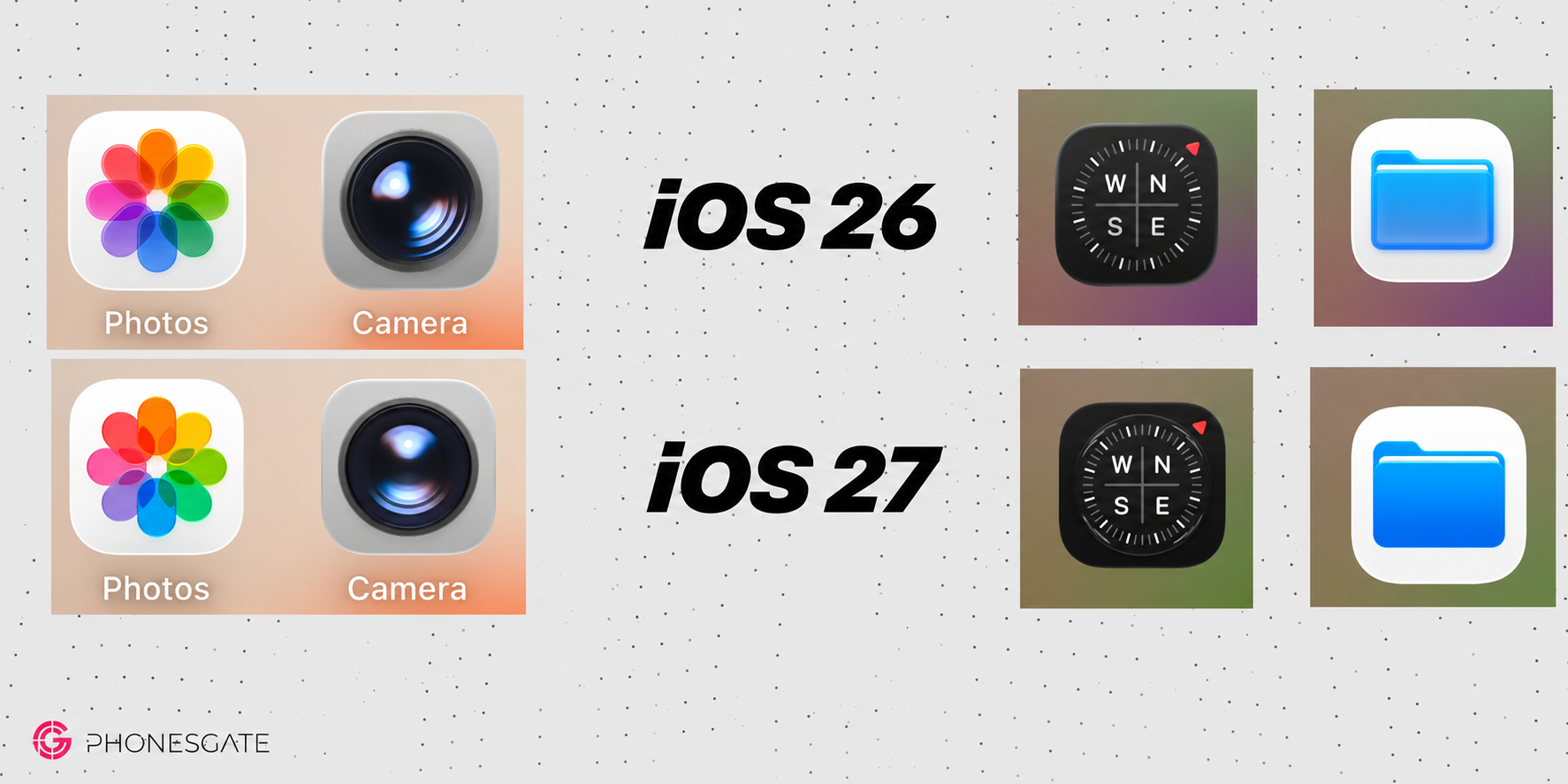
System icons receive small visual adjustments, while text rendering and shadows appear cleaner. These are subtle changes, but they matter because the home screen is viewed constantly.
Refinement is especially important after a major visual redesign. The first version establishes the concept; the next version should improve contrast, spacing and consistency.
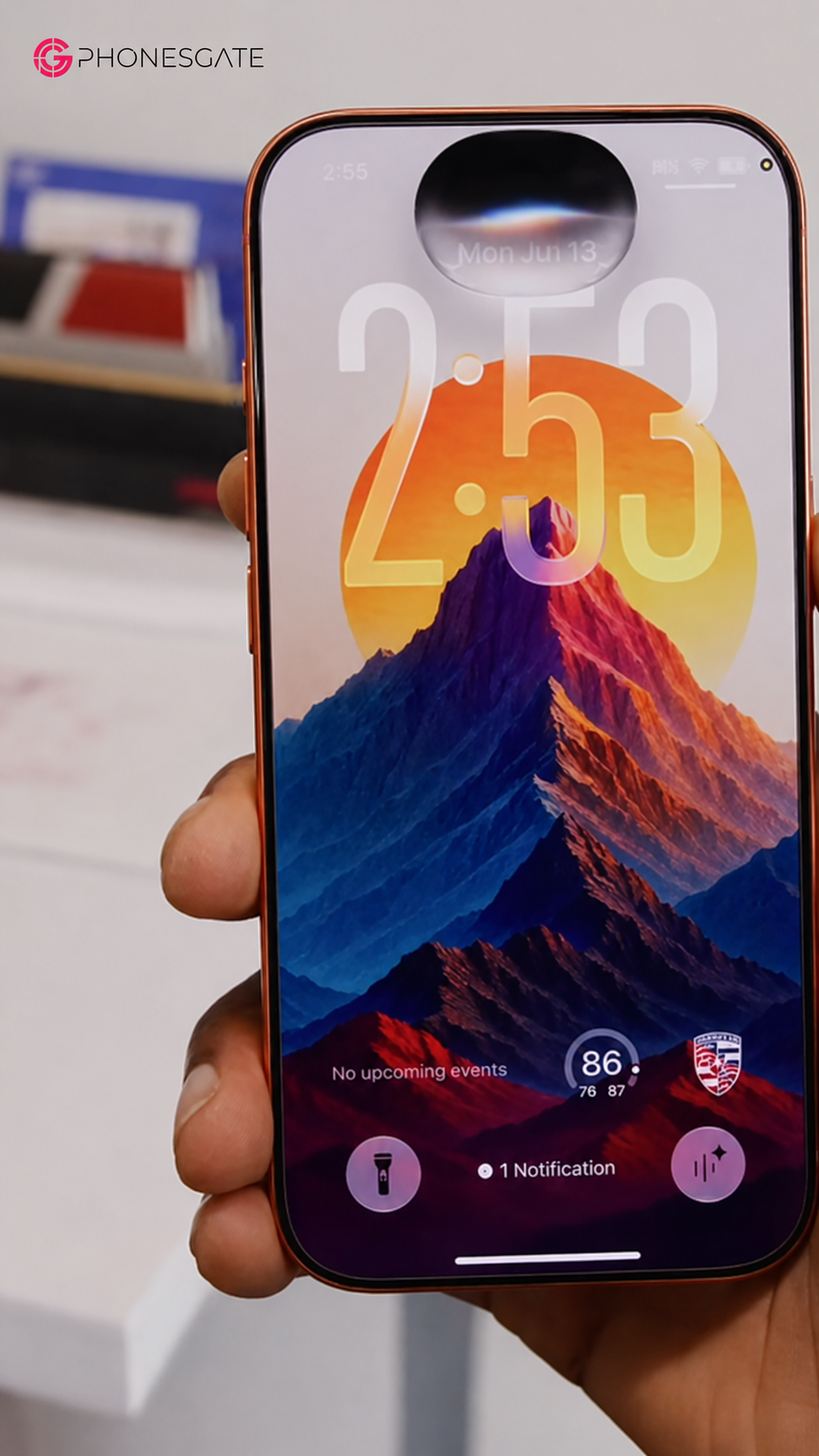
Compact lock-screen clock
iOS 27 introduces a smaller lock-screen clock option for users who prefer a less dominant time display.
This is useful when a wallpaper has an important subject near the top of the display or when the user wants widgets and notifications to receive more visual attention.
Search and Siri move closer together
The home-screen search interface is redesigned and becomes more closely integrated with Siri. This reflects a broader shift: search, assistant functions and AI-generated answers are increasingly becoming parts of the same interaction.
2. Siri becomes a real AI assistant
The most ambitious iOS 27 feature is the new Siri experience.
Siri has historically struggled with context, follow-up questions and complex requests. The iOS 27 version aims to address these weaknesses through a more conversational interface, personal data indexing and screen awareness.
A redesigned interface
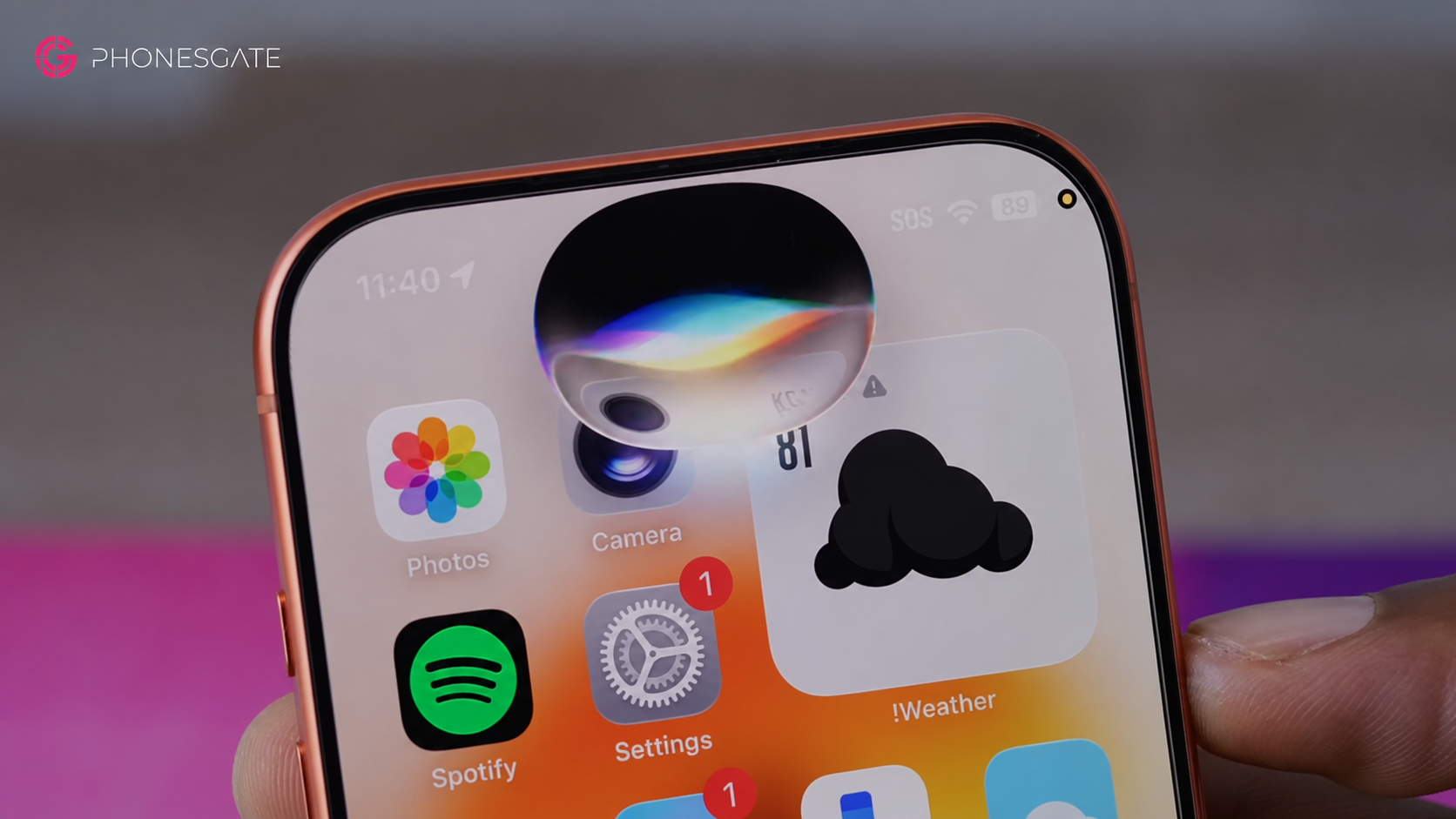
Siri begins as an animated overlay connected to the Dynamic Island. The answer can then expand into a larger conversation view or a standalone Siri application.
This is important because conversational AI requires more space than the old single-response interface. Users need to review history, follow sources and continue a multi-step exchange.
Conversation history
The standalone Siri experience can preserve selected requests so users can return to earlier answers.
Not every request needs to be saved, but persistent history is useful for travel planning, research, shopping comparisons and technical support.
More natural voice behavior
The voice is designed to sound more expressive and can be adjusted for speed. This may appear cosmetic, but responsiveness and speech pacing influence whether a voice assistant feels useful or frustrating.
Follow-up questions and retained context
The new Siri can continue a conversation without requiring the user to repeat the full subject each time.
This brings Siri closer to the behavior users now expect from modern AI assistants.
On-screen awareness
Siri can answer questions related to the content currently shown on the iPhone screen, provided the user asks in a way that clearly references the visible material.
Potential uses include:
- summarizing an article;
- explaining information in an application;
- identifying details in an image;
- extracting dates or locations;
- creating follow-up actions from displayed content.
Personal context is the biggest change
After the phone completes background indexing, Siri can search information from supported Apple applications such as Messages, Mail, Calendar, Photos and Wallet.
A user might ask about a product mentioned in a message, the location of a previous trip or the details of an appointment discussed across several apps.
The strength of this system is local indexing. Requests can be faster and more visually connected to the original data.
The limitation: third-party apps
The current experience works best inside Apple's ecosystem. Information stored in third-party messaging, mail or calendar applications may remain unavailable until developers add the required integrations.
This creates a major adoption question. Siri can become a powerful personal assistant only if important applications expose useful data in a controlled and privacy-conscious way.
Camera-based questions
The Camera app gains a Siri-oriented mode that allows the user to capture an image and ask questions about it.
This can support object identification, visual explanation, product recognition and contextual search.
Honorable mentions
Nutrition lookup in Photos
When food is recognized in a photo, iOS 27 can display a general nutrition assessment.
This should not be treated as medical or dietary advice. Visual recognition cannot reliably determine ingredients, portion size or preparation method in every case.
Password repair automation
The Passwords app can identify weak or compromised credentials and assist with changing them.
Automating the login and update process could significantly improve password hygiene, although users should confirm that the new password is stored correctly and that account recovery details remain current.
Natural-language Shortcuts
Users can describe a workflow and allow the system to create a Shortcut automatically.
This could make automation accessible to users who find the traditional Shortcuts interface too complex.
Threaded replies with Android users
Messaging improvements expand threaded reply behavior across conversations involving Android users.
The final experience may depend on carrier support, messaging standards and regional implementation.
1. Performance is the most important feature
The most valuable iOS 27 improvement may be the least visible: the operating system feels faster.
Preview material claims major improvements in photo loading, application launch speed and wireless transfer performance. Marketing percentages should always be treated cautiously, but a noticeable improvement during ordinary use matters more than the exact number.
Older iPhones benefit most
On the newest hardware, performance gains may feel modest because the devices are already fast. Older supported iPhones could experience a more meaningful improvement.
A more efficient CPU scheduler can reduce unnecessary work, improve responsiveness and make the device feel newer without changing the processor.
Why optimization matters
Operating systems accumulate complexity. New features, background services and compatibility layers can introduce overhead over time.
A release focused on removing inefficiencies can improve:
- application launch times;
- animation consistency;
- background responsiveness;
- photo processing;
- wireless transfers;
- battery efficiency.
Not every user will see the same result. Device age, storage condition, battery health and application behavior all influence performance.
Which users gain the most from iOS 27?
Owners of older supported iPhones
Performance tuning may provide more noticeable benefits than on the latest models.
Users deeply invested in Apple apps
The new Siri becomes more useful when personal information is stored in Messages, Mail, Calendar, Photos and Wallet.
Creators
Extend, Spatial Reframe and improved photo workflows can reduce dependence on external editing tools for quick tasks.
AirPods and CarPlay users
Custom EQ and timeline scrubbing improve two frequently used parts of Apple's wider ecosystem.
Potential concerns
Area Potential benefit Main concern AI photo editing More flexible composition Generated content and authenticity Personal Siri context Faster access to personal information Privacy and app permissions Third-party Siri access Broader assistant usefulness Inconsistent developer adoption Cloud processing More capable models Internet dependency Performance claims Faster older devices Results may vary by model
Should you install iOS 27?
Most users should install the stable version after confirming that essential banking, enterprise and authentication applications are compatible.
Developer and public beta builds should not be installed on a primary device unless the user accepts the possibility of crashes, battery drain, data loss and application incompatibility.
The stable release appears promising because it focuses on performance and practical improvements rather than unnecessary disruption.
PhonesGate ranking: the five best iOS 27 features
Rank Feature PhonesGate assessment 1 Performance improvements The feature most likely to improve every interaction, especially on older iPhones. 2 New Siri The most ambitious upgrade, but third-party support will determine its full value. 3 Visual refinement More user control makes Liquid Glass easier to live with.
4 Long-awaited controls Small fixes that remove years of unnecessary friction. 5 AI photo editing Creative and useful, but users should understand when content has been generated.
PhonesGate take
iOS 27 is not exciting because it changes everything. It is exciting because it appears to understand what needed improvement.
The new Siri gives Apple a more credible AI assistant. Performance work makes the update relevant even to users who do not care about visual changes. Separate alarm volume, better Wi-Fi handoff, CarPlay scrubbing and AirPods EQ address basic frustrations.
The photo tools demonstrate technical ambition, while the Liquid Glass controls show that Apple is willing to refine a major design rather than force one fixed appearance on every user.
The strongest version of iOS 27 will be one where these systems feel integrated, fast and predictable. The greatest risk is that Siri's usefulness remains limited by third-party adoption or that cloud-dependent AI features feel inconsistent.
Frequently asked questions
Is iOS 27 a major redesign?
No. It is primarily a refinement release built on the visual direction introduced previously.
What are the biggest iOS 27 features?
The main features include a redesigned Siri, AI photo editing, adjustable interface transparency, long-requested system controls and performance improvements.
Does iOS 27 add separate alarm volume?
Yes, the preview includes separate alarm volume control.
Does iOS 27 improve Siri?
The new Siri supports more natural conversations, follow-up questions, screen awareness and personal context from supported apps.
Can Siri access third-party apps?
Third-party access depends on developers adding compatible integrations and permissions.
Do AI photo tools work offline?
The preview indicates that Extend and Spatial Reframe require an internet connection.
Will iOS 27 make older iPhones faster?
Performance improvements may be more noticeable on older supported models, but results will vary.
Should users install the beta?
Most users should wait for the stable release rather than installing beta software on a primary device.
PhonesGate verdict
iOS 27 appears to be one of Apple's more practical updates. It does not depend on a single dramatic feature. Instead, it combines performance, AI, customization and long-requested fixes.
The redesigned Siri is the feature with the greatest long-term potential. If third-party applications participate and privacy controls remain clear, it could become the personal assistant Apple has promised for years.
The performance improvements may ultimately matter more. A faster, smoother system benefits every user and can extend the useful life of older hardware.
The new photo tools are powerful, but they also reinforce the need for transparency around generated content. Visual refinement is welcome, especially because users can control how much transparency they want.
PhonesGate views iOS 27 as an update worth installing once the stable version is available and essential applications have been verified.